
Browser-based Account Recovery Credential Activation (AR-C) Module
🎯 Purpose
The Account Recovery Credential Activation (AR-C) module enables users to re-establish their authentication credentials after successful identity verification. This module provides the final step in the account recovery process, allowing users to regain access to their accounts.
🏗️ AR-C Architecture
🌐 Web Application Design
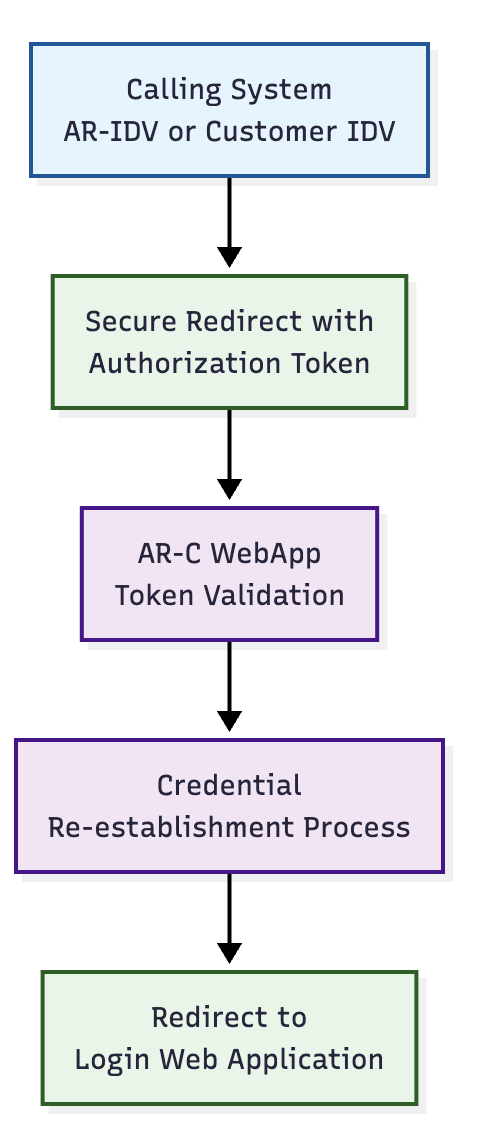
- Redirect-Based: Operates as redirect-based web application
- Token-Secured: Requires valid authorization token from previous step
- Credential-Focused: Specialized for credential re-establishment
- Integration-Ready: Designed for both Ditto ID and enterprise integration
🔄 Integration Model
🔐 Authorization Token Validation
🎫 Token Validation Process
Before allowing credential activation, the AR-C module performs comprehensive token validation:
- Authenticity Verification: Validates cryptographic signature
- Expiration Check: Ensures token is within validity period
- User ID Extraction: Retrieves verified user identifier
- Status Validation: Confirms user is in ACTIVE status
- Single-Use Verification: Ensures token hasn't been previously consumed
📊 Validation Requirements
| Validation Check | Requirement | Success Action | Failure Action |
|---|---|---|---|
| Token Signature | Valid cryptographic signature | Continue processing | Reject with authentication error |
| Token Expiration | Within validity time window | Proceed to activation | Request new verification |
| User Status | User account in ACTIVE status | Allow credential reset | Administrative intervention required |
| Token Consumption | Not previously used | Mark as consumed | Generate error message |
🔄 Credential Reset Logic
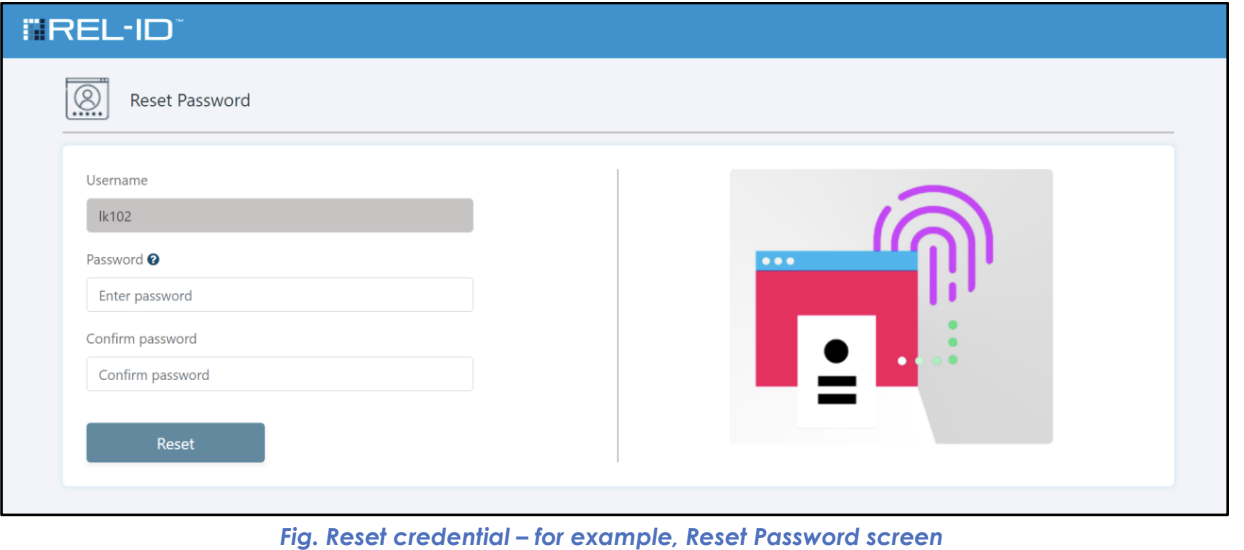
🎯 Factor-Specific Reset Process
The AR-C module determines which credentials to reset based on the authentication factor that the user was unable to use:
📊 Credential Reset Scenarios
🔒 Password Reset Scenario
- Trigger: User failed password authentication
- Process: User prompted to set new password
- Scope: Password credential only
- Preservation: Registered 2nd factor remains unchanged
📱 Mobile Reset Scenario
- Trigger: User cannot access mobile authentication
- Process: Full web-only credential activation
- Scope: Complete credential re-establishment
- Result: User can authenticate without mobile dependency
📧 Second Factor Reset Scenario
- Trigger: User cannot access 2nd factor (email, SMS, etc.)
- Process: Register new 2nd factor
- Scope: Second factor only
- Preservation: Primary authentication method unchanged
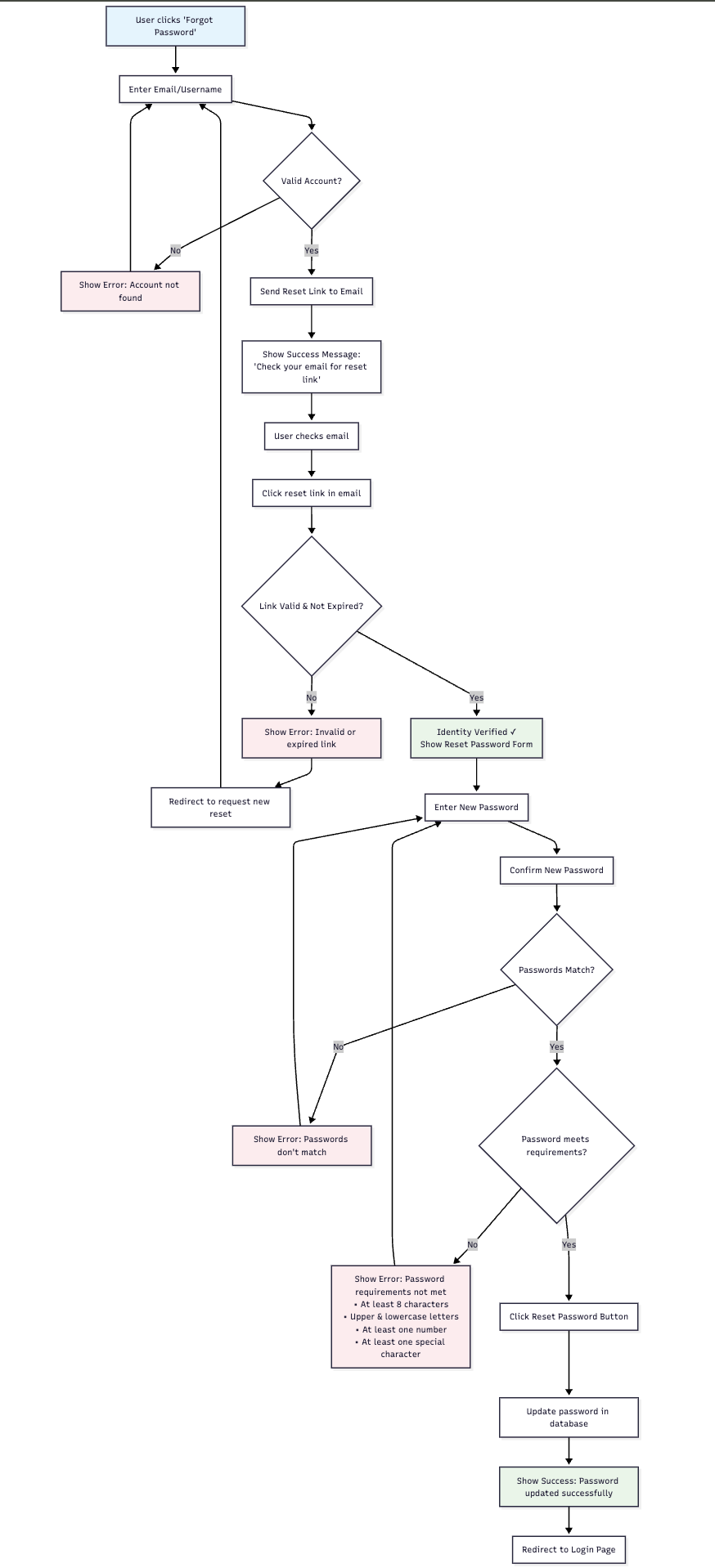
🖥️ Credential Reset Interfaces
🔒 Password Reset Interface
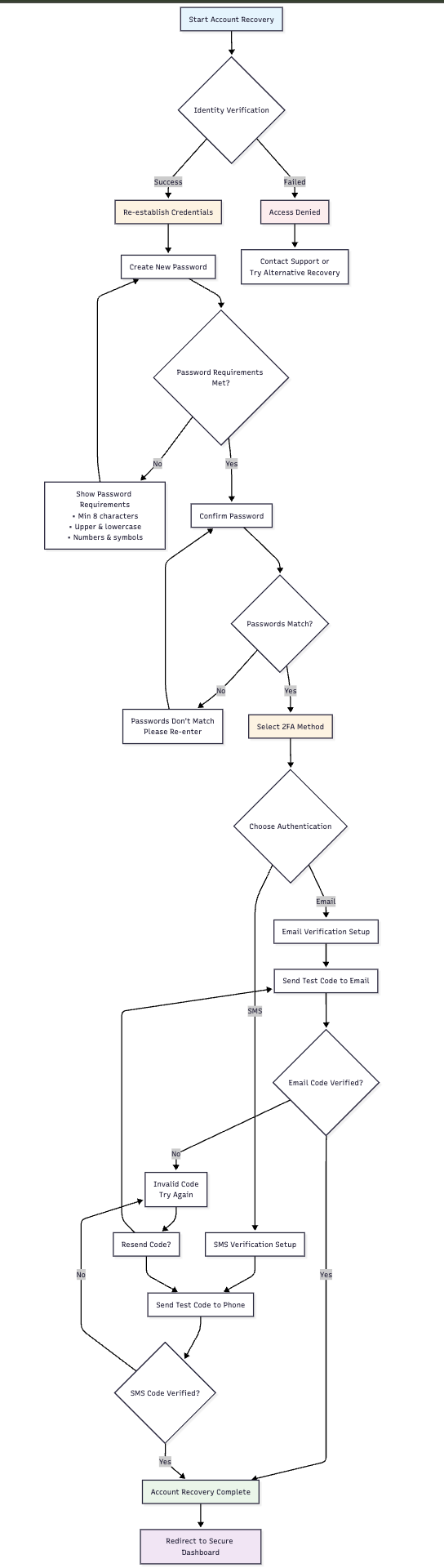
📱 Full Credential Activation Interface
🔄 Credential Activation Process
📝 Step-by-Step Process
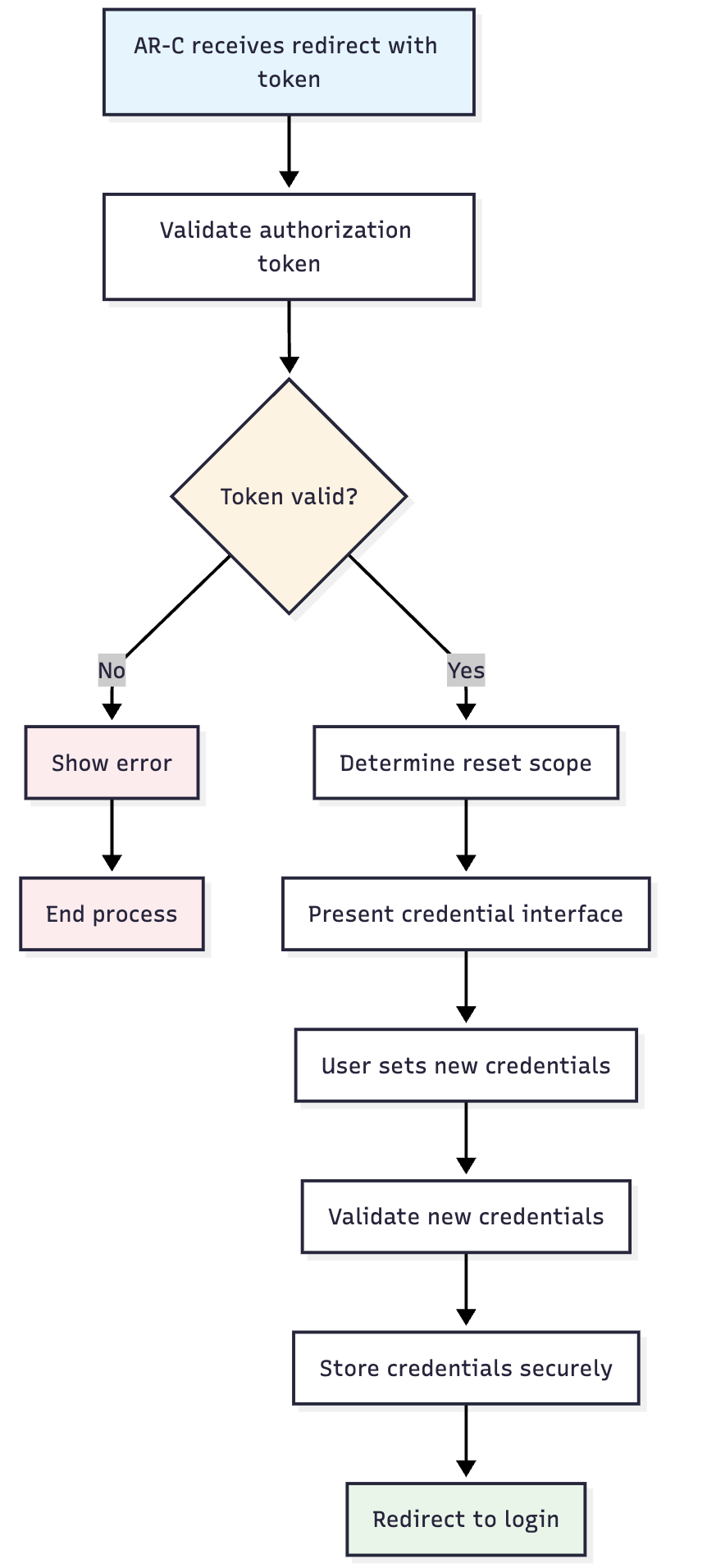
- Token Validation: Verify authorization token authenticity and validity
- Reset Scope Determination: Identify which credentials need to be reset
- User Interface Presentation: Show appropriate credential setup screens
- Credential Collection: Gather new credential information from user
- Validation and Storage: Validate and securely store new credentials
- Completion Confirmation: Confirm successful credential re-establishment
- Login Redirect: Redirect user to login flow with new credentials
🔄 Process Flow Diagram
🛡️ Security Features
🔒 Credential Security
- Password Policies: New passwords must meet current policy requirements
- Secure Storage: All credentials securely hashed and encrypted
- Immediate Activation: New credentials immediately available for authentication
- Old Credential Invalidation: Previous credentials invalidated upon successful reset
📊 Security Measures
| Security Aspect | Implementation | Purpose |
|---|---|---|
| Policy Enforcement | Real-time password policy validation | Ensure credential strength |
| Secure Hashing | Industry-standard password hashing | Protect stored credentials |
| Token Consumption | Single-use token validation | Prevent replay attacks |
| Audit Logging | Complete credential reset logging | Security monitoring |
🎯 User Experience
📱 User-Friendly Features
- Clear Instructions: Step-by-step guidance through credential reset
- Policy Transparency: Password requirements clearly displayed
- Immediate Feedback: Real-time validation of credential requirements
- Success Confirmation: Clear indication when credentials are successfully reset
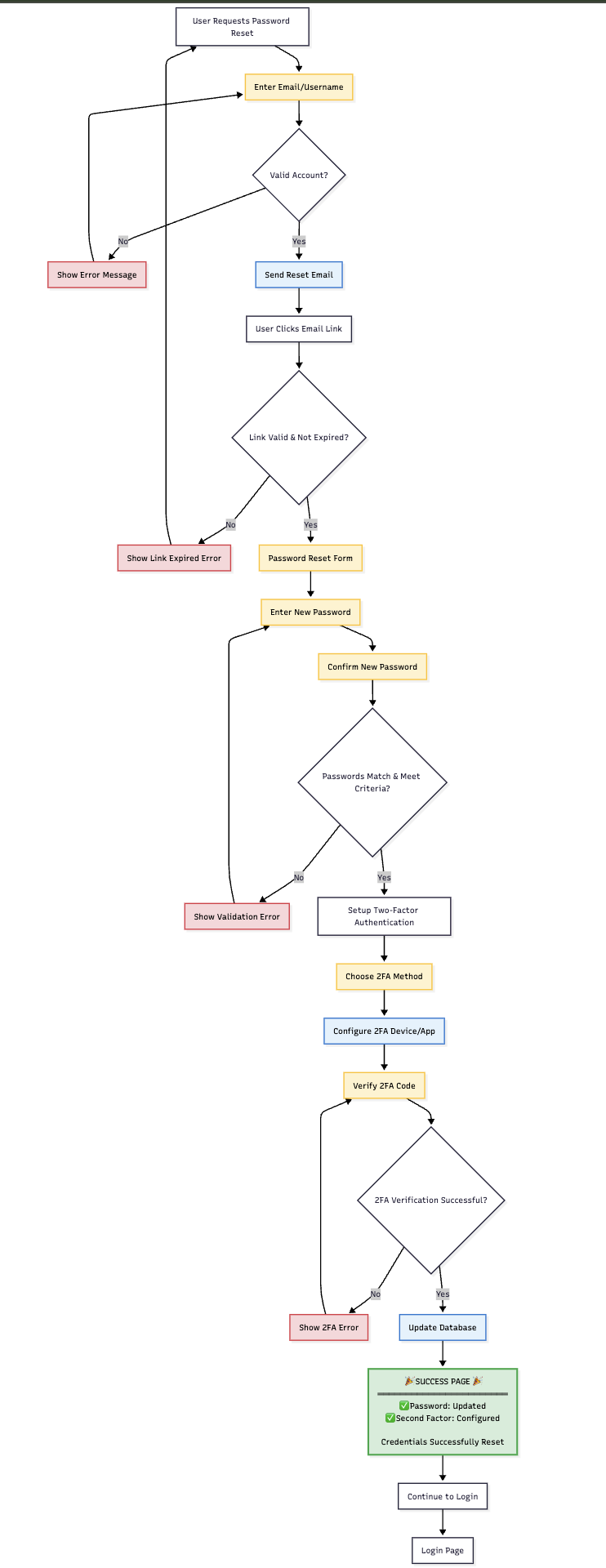
🔄 Post-Reset Experience
🔗 Login Integration
➡️ Redirect to Authentication
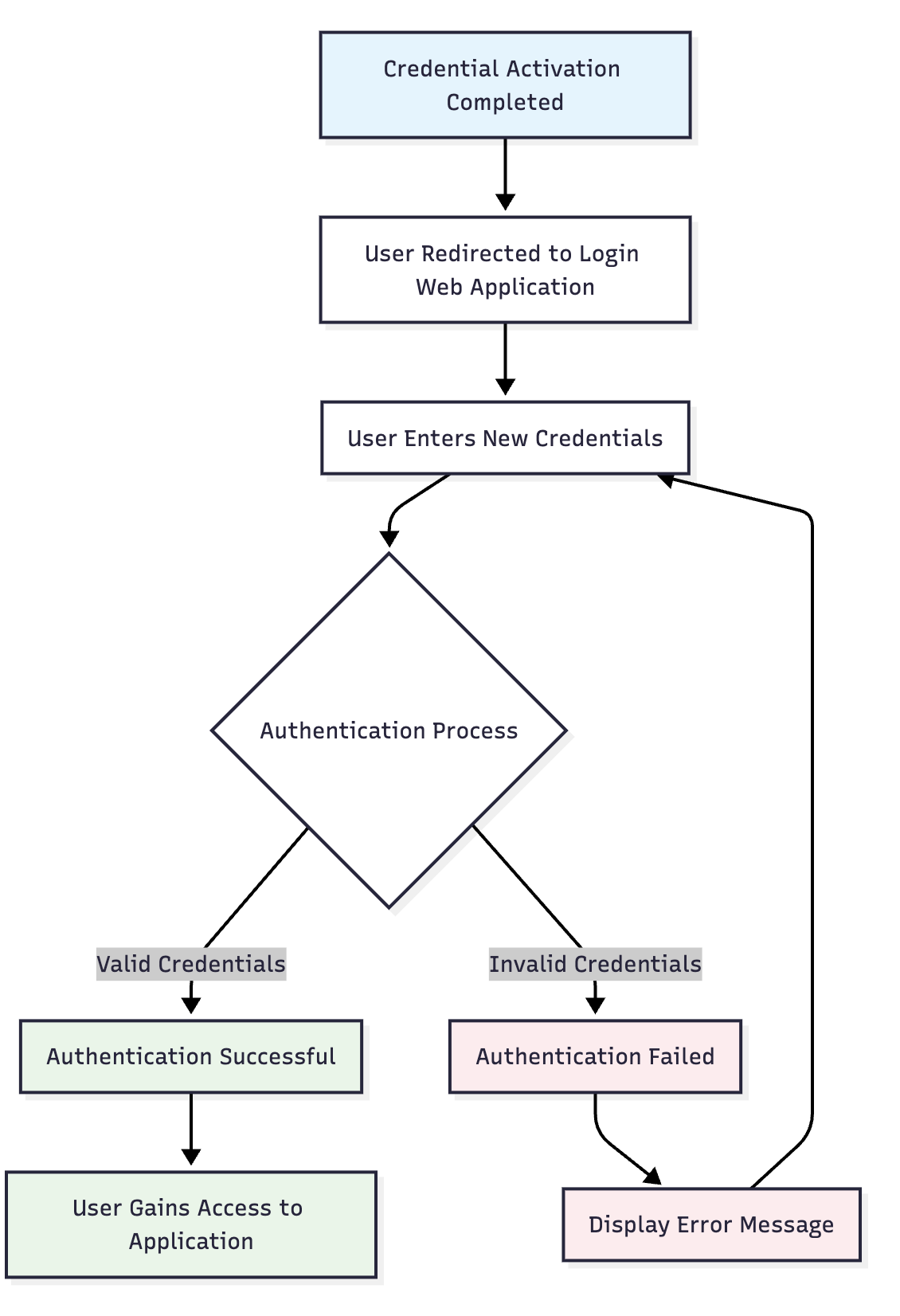
After successful credential activation, users are redirected to the web authentication flow:
- Seamless Transition: Automatic redirect to login interface
- Immediate Use: New credentials ready for authentication
- Complete Flow: Users can complete full authentication process
- Success Validation: Confirmation that credential reset was successful
🔄 Authentication Flow Integration
📊 Recovery Completion
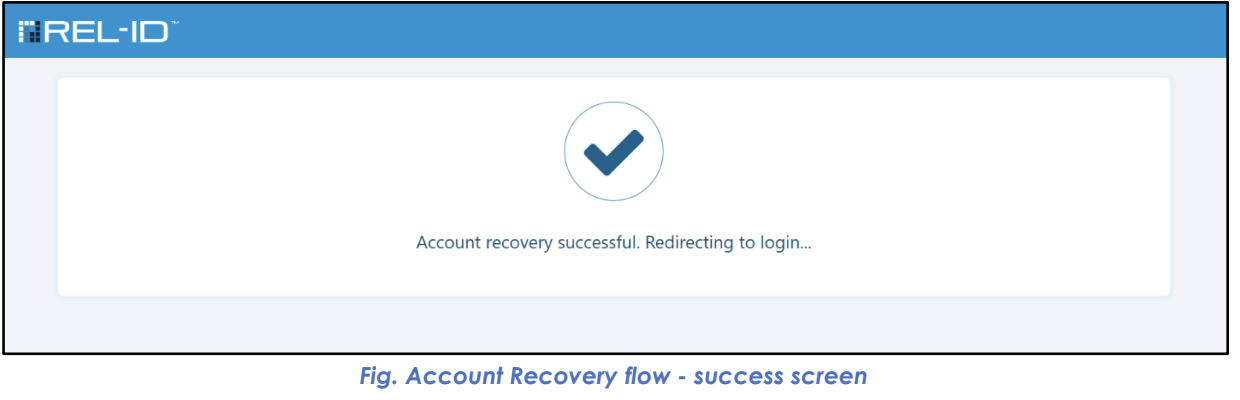
✅ Success Indicators
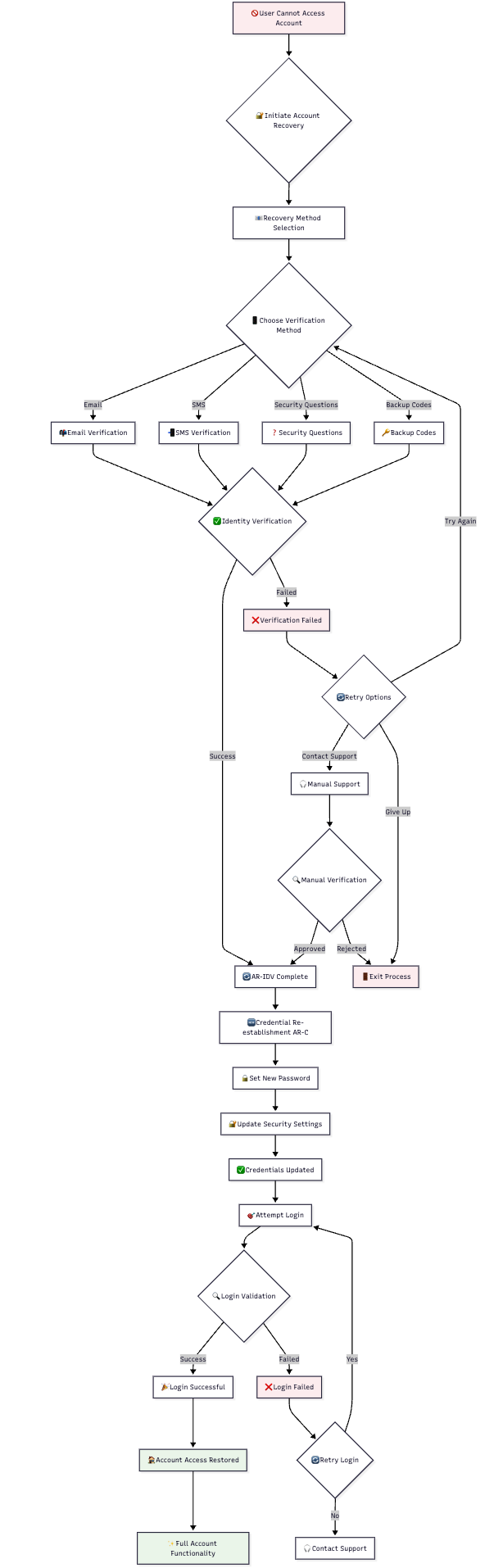
- Identity Verified: User identity confirmed through IDV process
- Credentials Reset: New authentication credentials successfully established
- Access Restored: User can authenticate using new credentials
- Security Maintained: All security requirements met throughout process
🔄 Complete Recovery Flow
⚠️ Important AR-C Notes
🔧 System Requirements
- Authorization Token: Valid token from IDV process required
- User Status: User account must be in ACTIVE status
- Policy Configuration: Password policies must be properly configured
- Integration Setup: Proper redirect URLs and endpoints configured
🛡️ Security Considerations
- Token Security: Authorization tokens must be properly protected
- Credential Strength: New credentials must meet security requirements
- Audit Trail: Complete logging of credential reset activities
- Session Management: Proper session handling throughout process
🎯 User Support
- Clear Guidance: Users provided with clear instructions throughout process
- Error Handling: Helpful error messages and recovery guidance
- Support Contact: Contact information available for assistance
- Success Confirmation: Clear indication when process completes successfully
Updated 4 months ago