
Step 2: Determine IDV Method
🎯 Purpose
Analyzes the user's profile and system configuration to determine which Identity Verification (IDV) methods are available and presents appropriate options to the user for identity confirmation.
🔍 IDV Method Analysis Process
📊 Method Availability Assessment
The system evaluates each configured IDV method against the user's current situation and profile to determine what verification options are available.
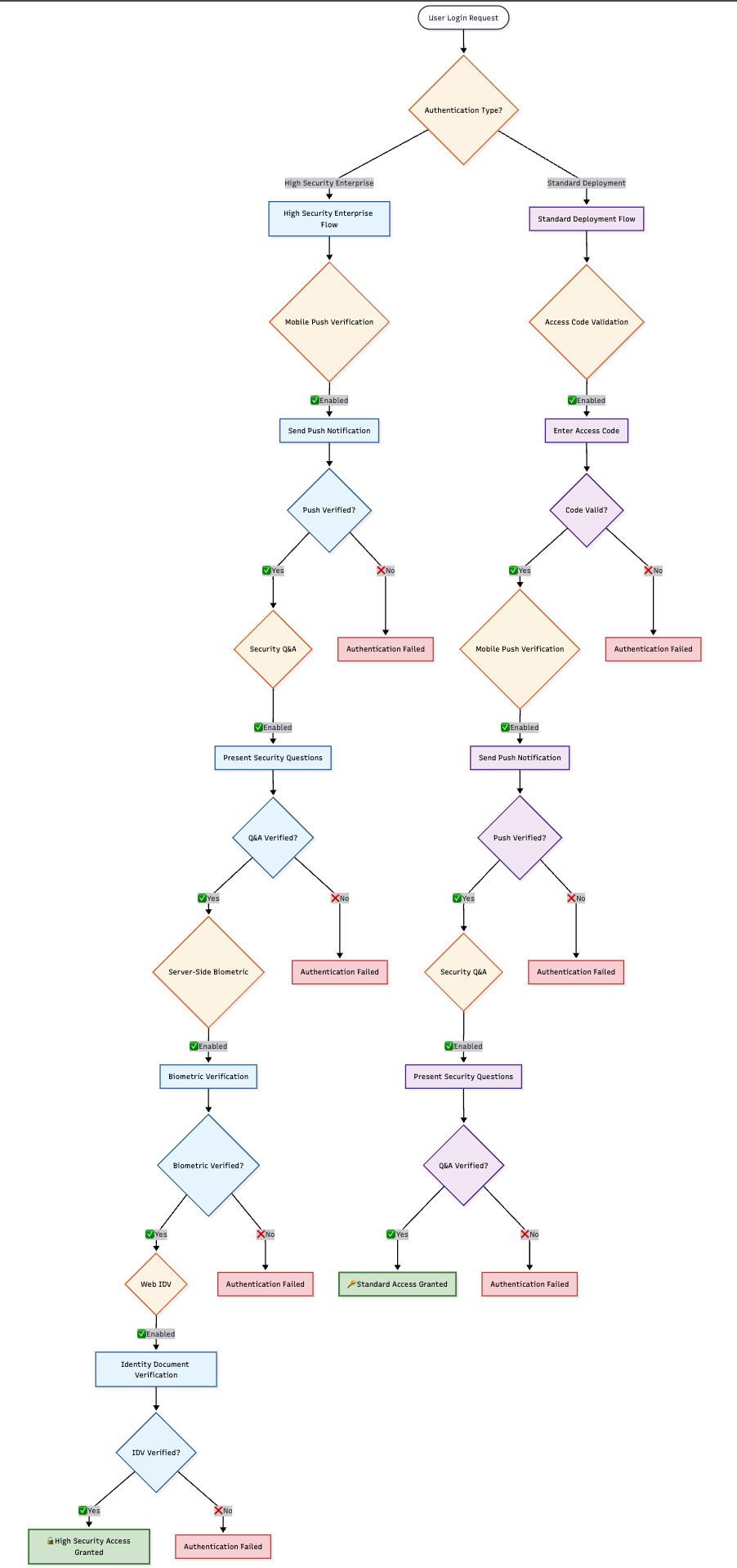
📋 Available IDV Methods
1️⃣ Access Code Validation
- Description: Validates user identity through OTP codes sent to registered channels
- Availability Conditions:
- ✅ Step 1 was skipped (user successfully completed 1st factor authentication)
- ✅ Access code channel is available (email or SMS registered)
2️⃣ Mobile Push Verification
- Description: Verifies identity through Ditto ID mobile app push notification response
- Availability Conditions:
- ✅ User has an active registered Ditto ID device
- ✅ System is configured to always require password as 1st factor
- ✅ User was unable to successfully validate password as 1st factor
3️⃣ Security Q&A
- Description: Uses security questions and answers for identity verification
- Availability Conditions:
- ✅ User has successfully set up Security Questions & Answers
4️⃣ Server-Side Biometric Authentication
- Description: Authenticates using server-stored biometric templates
- Availability Conditions:
- ✅ User has server-side biometric template stored on profile
5️⃣ Web IDV
- Description: Complete web-based identity verification using document verification
- Availability Conditions:
- ✅ KYC API is properly configured
- ✅ Document comparison capability available
- ✅ User data on file for comparison
🔧 System Configuration Impact
⚙️ Administrator Control
System configuration determines which IDV methods are available for use:
- Configuration Location:
allowed.idv.methodsin Auth Server configuration - Method Enable/Disable: Each IDV method can be individually enabled or disabled
- Deployment Flexibility: Organizations can customize available methods
📊 Configuration Examples
🎯 Method Selection Logic
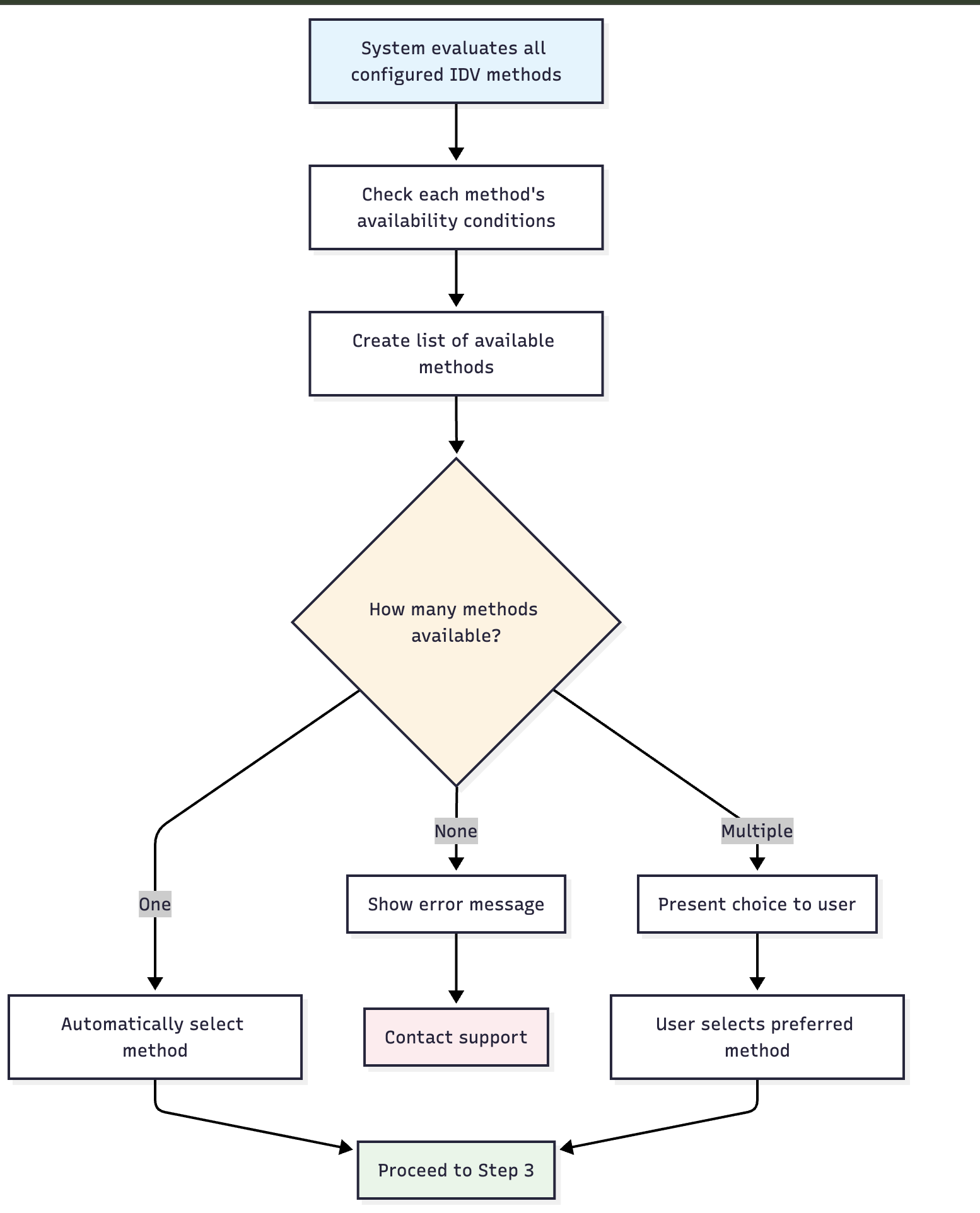
🤖 Automatic Selection Process
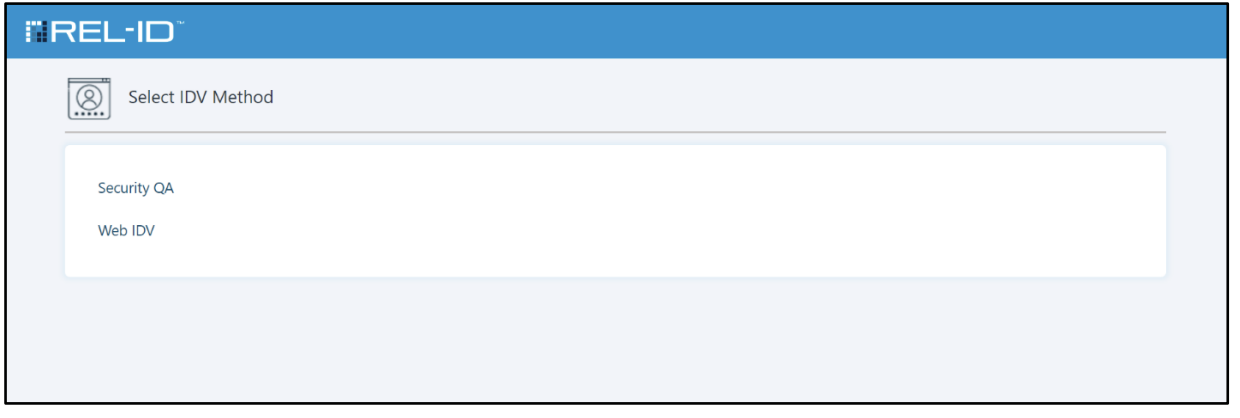
📱 User Selection Interface
When multiple methods are available, users see a selection screen:
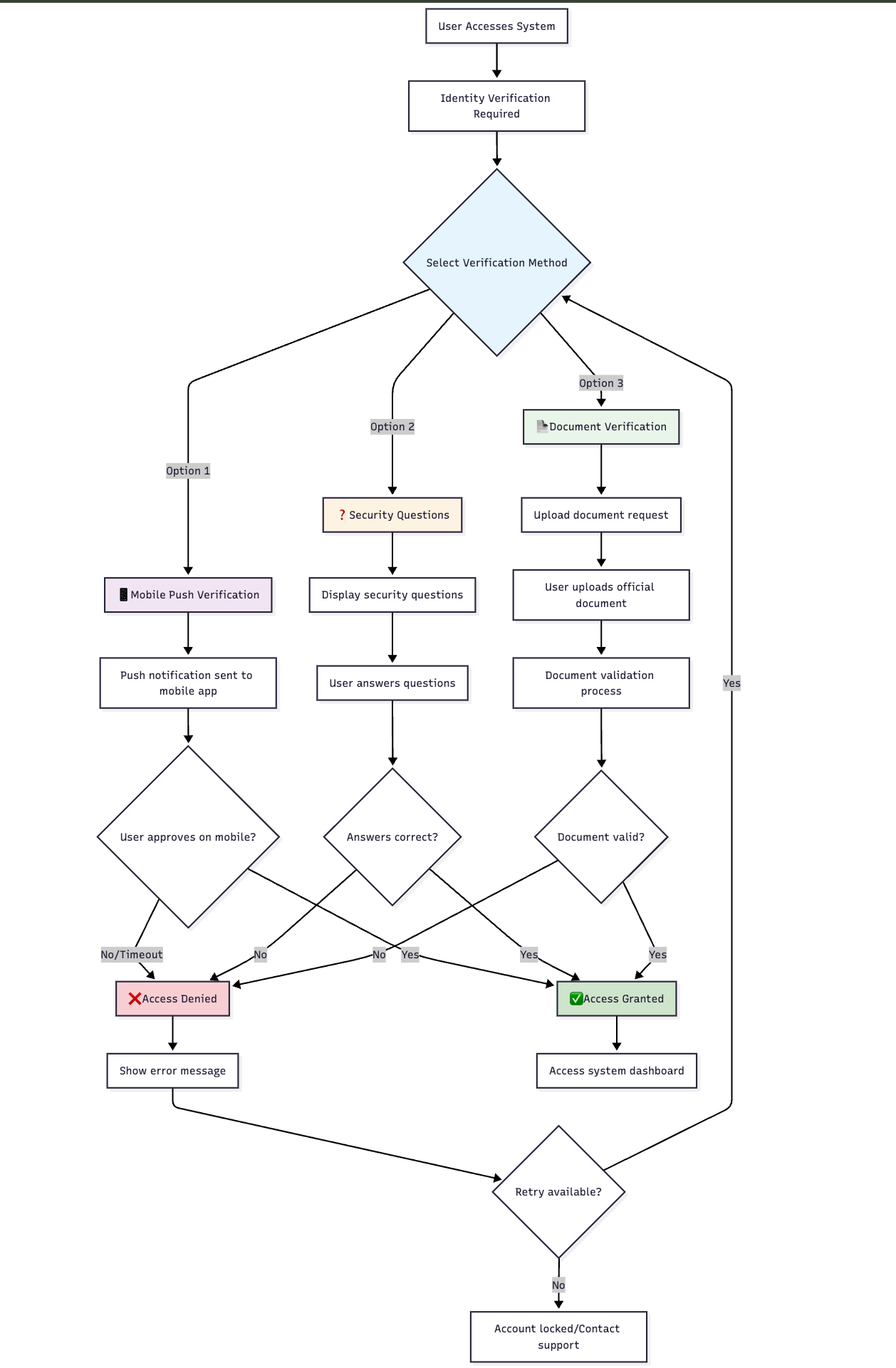
📊 Method Selection Scenarios
🎯 Single Method Available
| Scenario | Available Method | User Experience |
|---|---|---|
| Mobile Only | Mobile Push Verification | Automatic selection, proceed directly |
| Q&A Only | Security Questions | Automatic selection, proceed directly |
| Document Only | Web IDV | Automatic selection, proceed directly |
🎯 Multiple Methods Available
| Scenario | Available Methods | User Experience |
|---|---|---|
| Full Options | Push + Q&A + WebIDV | User choice presented |
| Standard | Push + Q&A | User choice presented |
| Backup | Q&A + WebIDV | User choice presented |
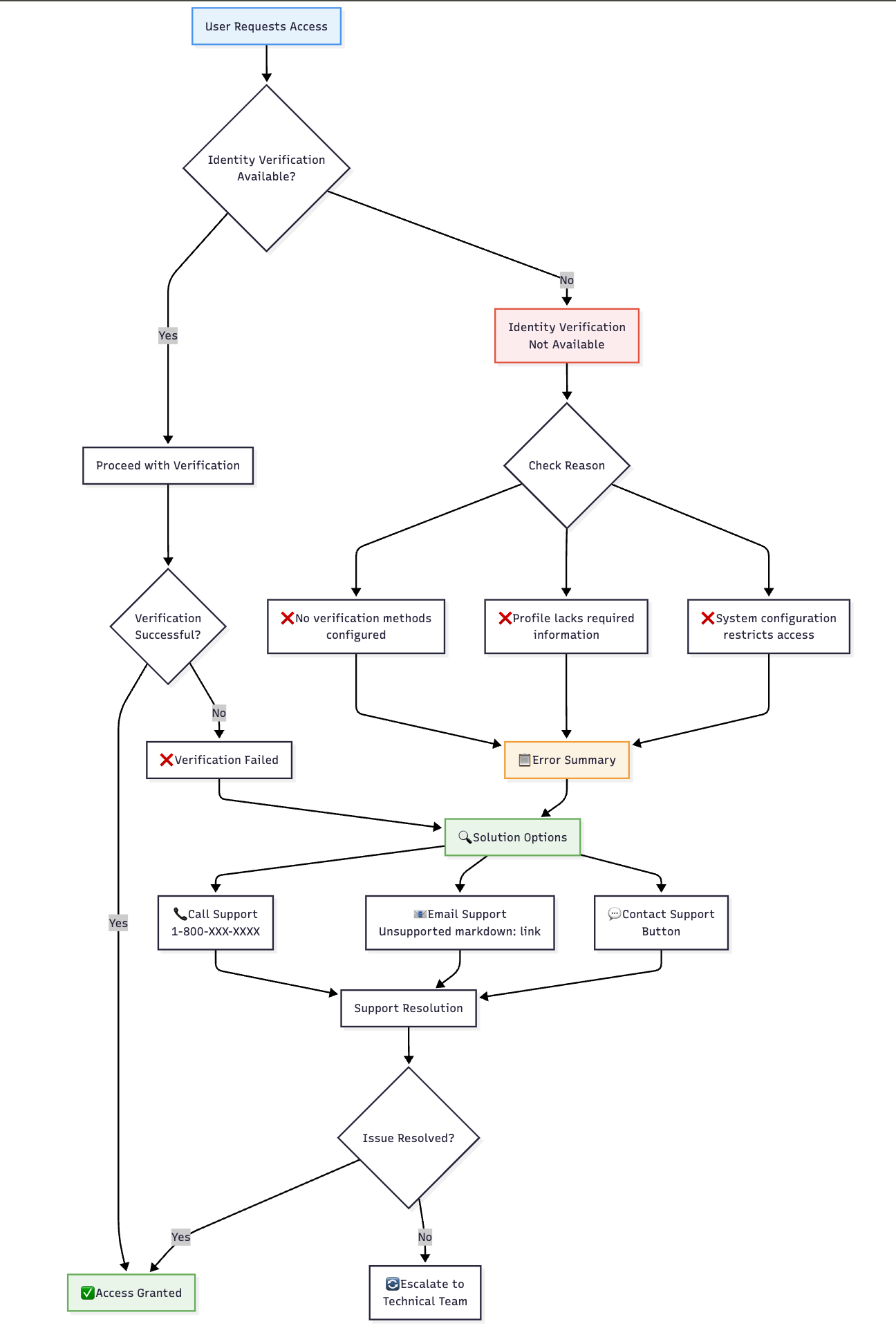
🎯 No Methods Available
- Error Display: Clear error message explaining situation
- Support Contact: Contact information for customer support
- Alternative Options: Guidance for alternative assistance
- Administrative Escalation: Clear path for administrative assistance
🖥️ Error Handling
🚨 No Available Methods
🔍 Method Availability Examples
📊 User Profile Scenarios
| User Profile | Available Methods | Reasoning |
|---|---|---|
| Ditto ID Mobile + Q&A | Push Verification, Security Q&A | Both prerequisites met |
| Web-Only + Q&A | Security Q&A only | No mobile device registered |
| Full Profile | All enabled methods | All prerequisites satisfied |
| Minimal Profile | Access Code only | Limited profile information |
⚠️ Important Selection Notes
🔧 Prerequisites Critical
- Method availability depends entirely on user profile completeness
- System configuration can disable methods regardless of user profile
- Multiple verification methods provide user flexibility and system resilience
- Administrative oversight ensures appropriate security levels
🎯 User Experience Considerations
- Clear Method Descriptions: Each option clearly explained
- Security Information: Users understand security level of each method
- Progress Indication: Users know their position in recovery process
- Support Integration: Clear escalation path when methods unavailable
Updated 4 months ago