
Step 3: Use IDV Method
🎯 Purpose
Executes the selected Identity Verification method to confirm the user's identity before allowing them to proceed to credential re-establishment.
🔄 IDV Method Execution Process
🎯 Method-Specific Processing
Based on the method selected in Step 2, the system guides users through the appropriate identity verification process.
📊 IDV Method Implementations
1️⃣ Access Code Validation Execution
- Process: Send OTP to registered email or SMS, user enters code
- User Interface: Code entry screen with resend capability
- Validation: Code verified against generated value and time window
- Retry: Multiple attempts allowed within security limits
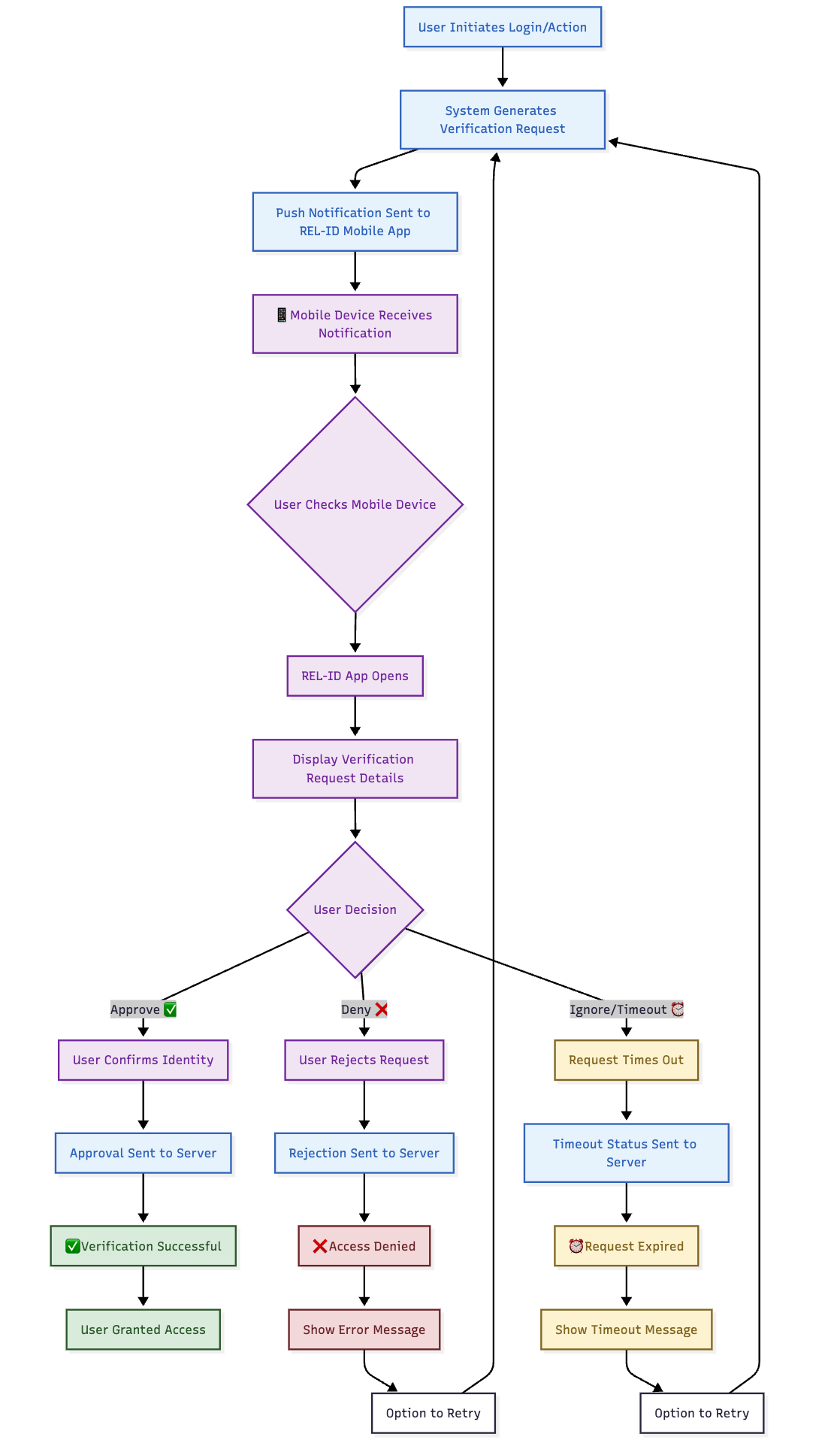
2️⃣ Mobile Push Verification Execution
- Process: Send push notification to Ditto ID mobile app
- User Action: User approves or denies verification request on mobile device
- Response: Mobile app sends cryptographic response to server
- Validation: Response verified for authenticity and user approval
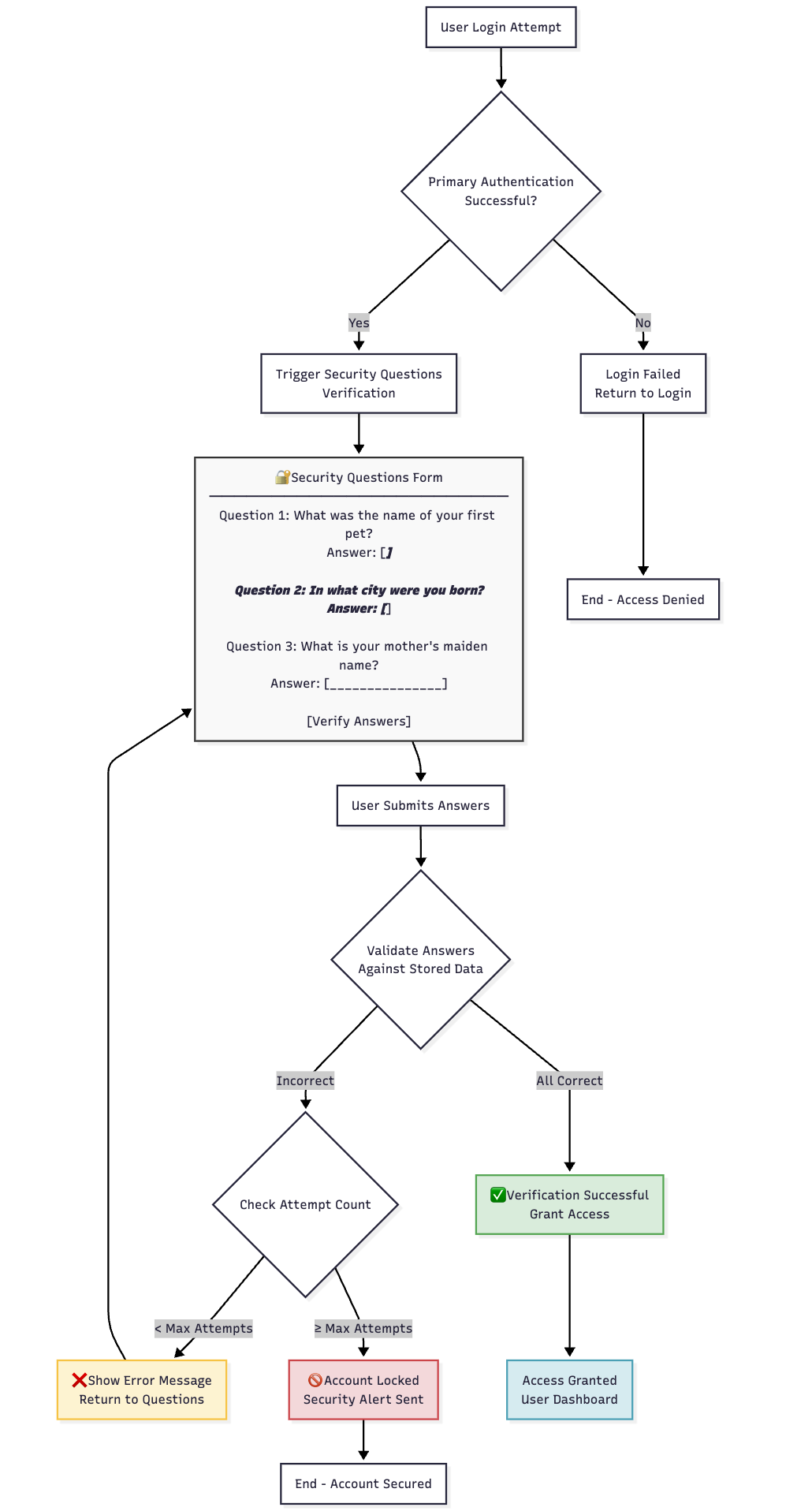
3️⃣ Security Q&A Execution
- Process: Present user's pre-configured security questions
- User Interface: Question and answer interface
- Validation: Answers compared against stored responses
- Security: Case-insensitive matching with multiple attempt limits
4️⃣ Server-Side Biometric Authentication
- Process: Capture biometric sample from user
- Comparison: Compare against server-stored biometric template
- Validation: Biometric matching algorithm confirms identity
- Security: High-security biometric verification process
5️⃣ Web IDV Execution
- Process: Full document-based identity verification
- Integration: Redirect to Ditto ID IDV Web Server
- Verification: Document capture, analysis, and comparison
- Validation: KYC API compares provided data against stored information
🖥️ Method-Specific User Interfaces
📱 Security Q&A Interface Example
🔔 Mobile Push Verification Interface
🔄 Execution Flow Logic
✅ Successful Verification Flow
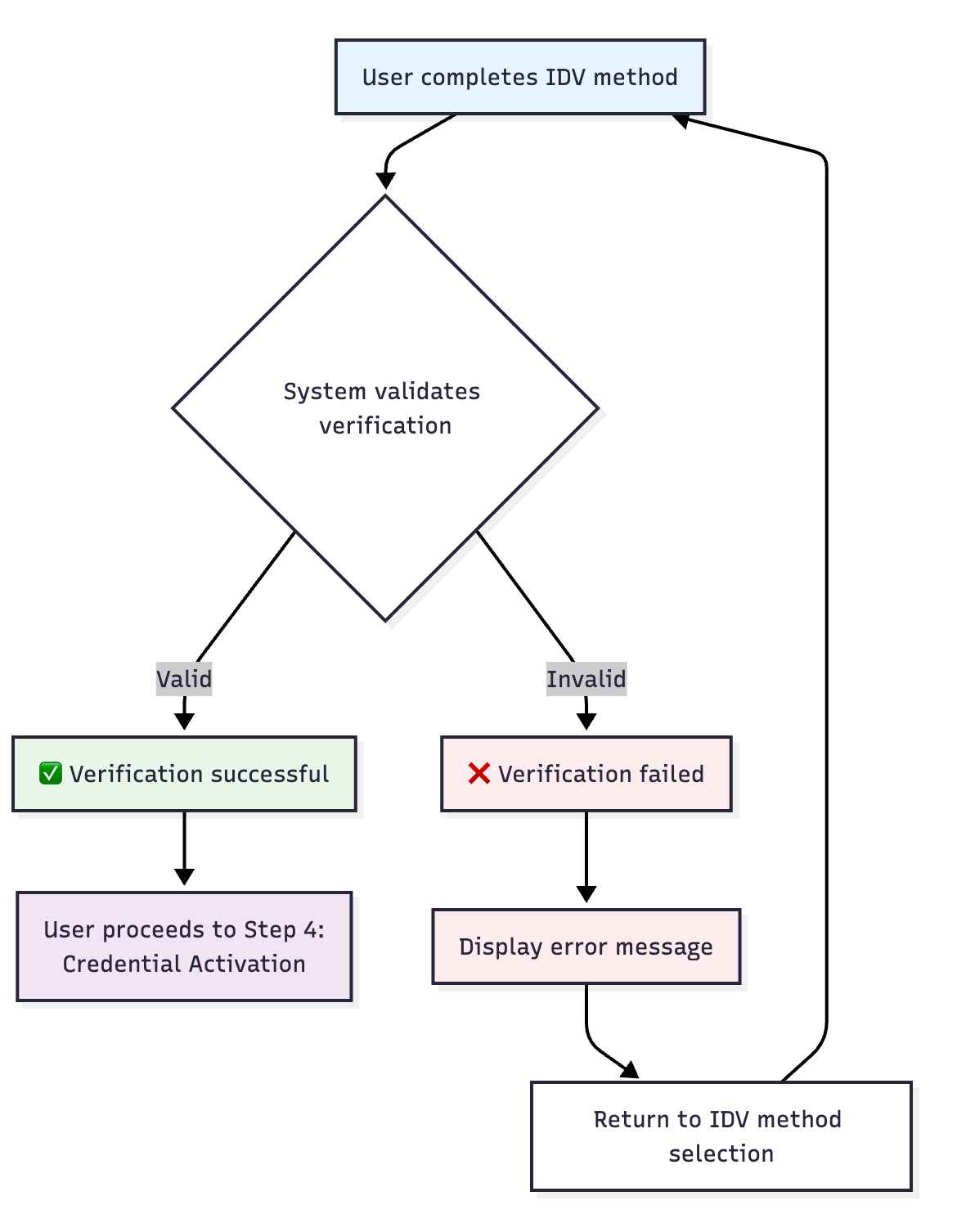
❌ Failed Verification Flow
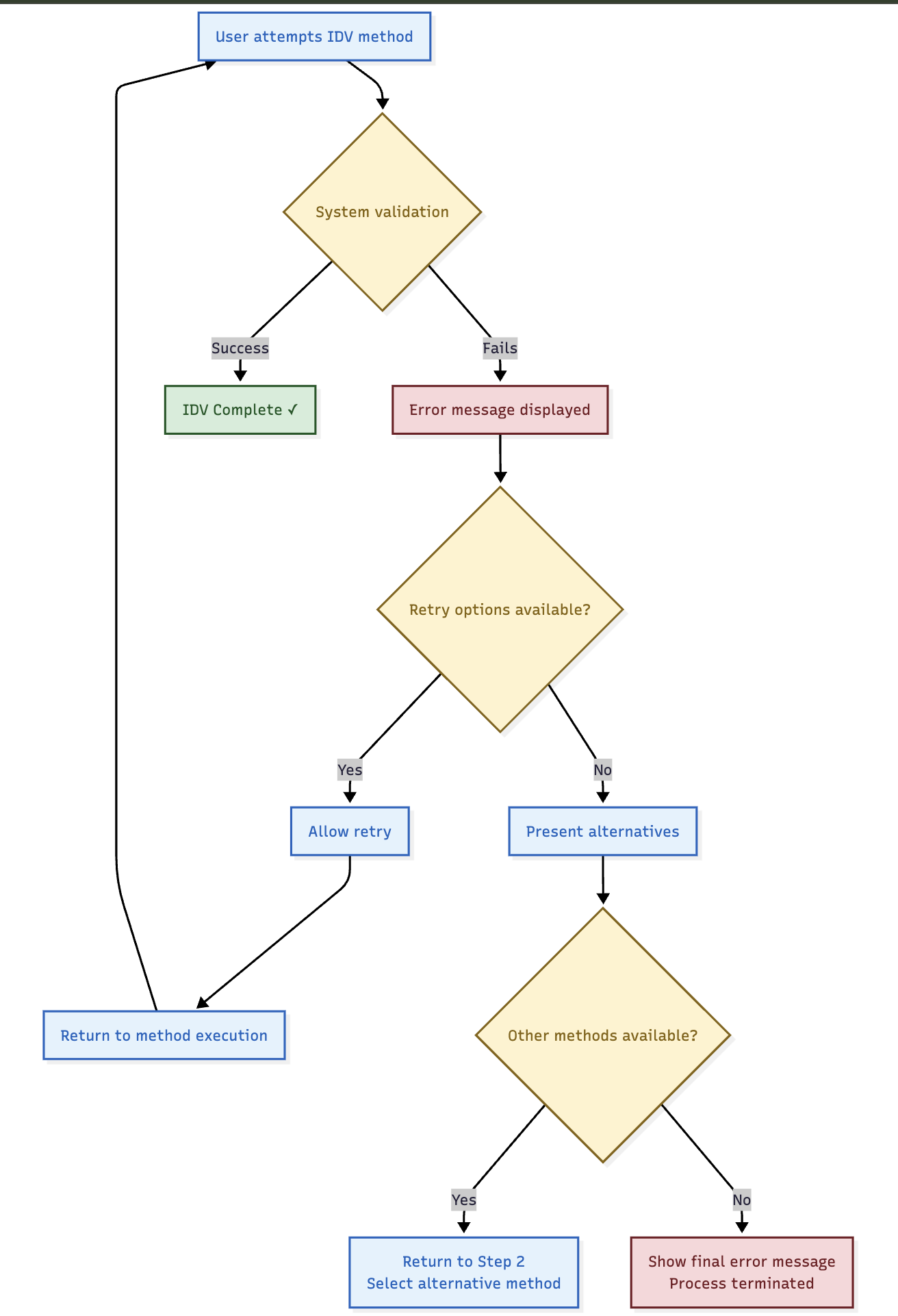
🔄 Retry and Alternative Logic
🔄 Retry Capabilities
- Same Method Retry: Users can retry the same IDV method if it fails
- Attempt Limits: Each method has configurable retry limits
- Alternative Selection: Users can return to method selection if multiple methods available
- Support Escalation: Clear path to support when all methods fail
📊 Retry Scenarios
| IDV Method | Retry Capability | Alternative Action |
|---|---|---|
| Access Code | Multiple code entries | Resend code option |
| Mobile Push | Re-send push notification | Try different method |
| Security Q&A | Re-answer questions | Administrative reset |
| Biometric | Re-capture biometric | Alternative method |
| Web IDV | Re-submit documents | Manual verification |
🛡️ Security Validation
🔒 Verification Security
- Method Integrity: Each method properly validated according to its security model
- Attempt Limiting: Prevents brute force attacks on verification methods
- Time Constraints: Appropriate time limits for each verification type
- Audit Logging: All verification attempts properly logged
📊 Security Measures by Method
| Method | Security Measures | Attack Prevention |
|---|---|---|
| Access Code | Time limits, attempt limits, single use | Code guessing, replay attacks |
| Mobile Push | Cryptographic validation, device binding | Device spoofing, man-in-middle |
| Security Q&A | Case-insensitive matching, attempt limits | Brute force, social engineering |
| Biometric | Template matching, liveness detection | Spoofing, replay attacks |
| Web IDV | Document validation, data comparison | Document fraud, identity theft |
🎯 User Experience Features
📱 User-Friendly Elements
- Clear Instructions: Each method includes clear step-by-step guidance
- Progress Indication: Users understand where they are in the process
- Error Messages: Helpful error messages with guidance for resolution
- Support Options: Contact information available for assistance
🔄 Flexible Recovery
- Method Switching: Users can change methods if current method fails
- Multiple Attempts: Reasonable retry capabilities for transient failures
- Alternative Paths: Various routes to successful identity verification
- Support Integration: Clear escalation to human assistance
⚠️ Important Execution Notes
🔧 Technical Requirements
- Service Dependencies: Some methods depend on external services (SMS, email, KYC)
- Device Requirements: Biometric and mobile methods require specific device capabilities
- Configuration Dependencies: All methods require proper system configuration
- Network Requirements: Some methods require reliable network connectivity
🎯 Success Criteria
- Identity Confirmed: User identity successfully verified through chosen method
- Security Standards: Verification meets organisational security requirements
- Audit Trail: Complete record of verification process maintained
- User Satisfaction: Process completed with minimal user friction
Updated 4 months ago