
Updating Sign In Options
🎯 Purpose
Provides users with the ability to modify their authentication settings while maintaining strict security controls. The update process ensures that only authenticated users can make changes to their security configuration.
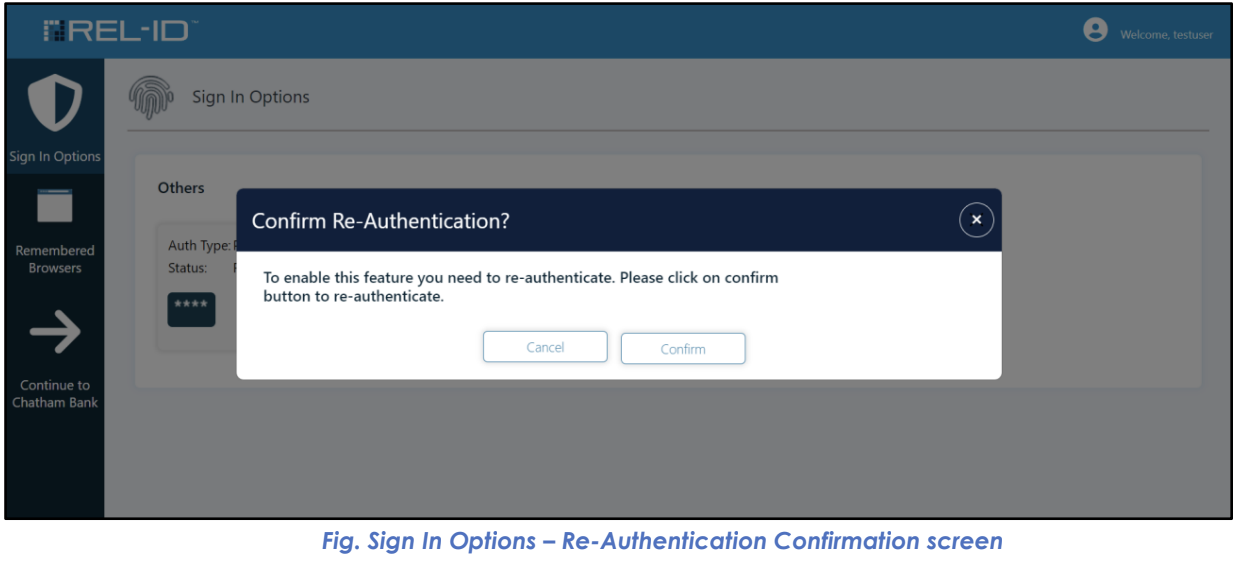
🔒 Re-Authentication Requirement
🚨 Initial State: Edit Protection
- Default Behaviour: All add/edit functionality disabled when screen first loads
- Visual Indicator: Add/edit icons and buttons appear grayed out
- Security Rationale: Prevents unauthorized changes even if session is compromised
- User Experience: Clear indication that additional authentication is required
⚡ Re-Authentication Trigger
- Confirmation Required: System displays re-authentication confirmation screen
- User Choice: User must explicitly confirm desire to enable editing
- Clear Messaging: "To make any changes to the Sign in Options, Re-authentication (re-login) is required"
- Action Button: "Confirm" button to proceed with re-authentication
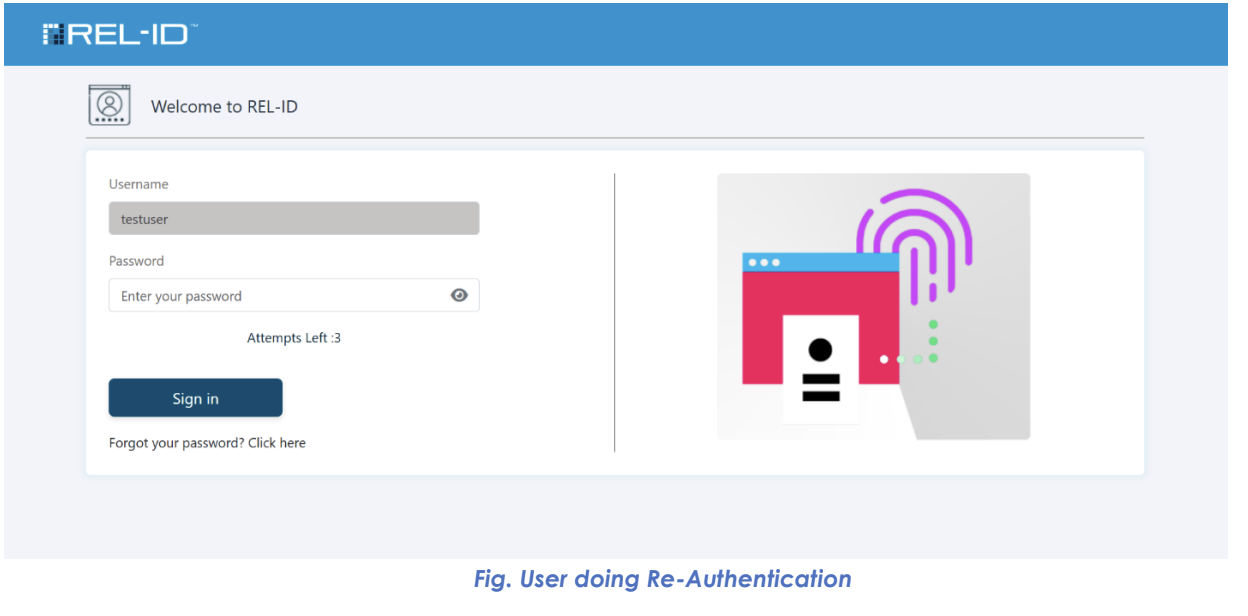
🔐 Re-Authentication Process
- Confirmation: User clicks "Confirm" to proceed
- Redirect: User directed to full authentication flow
- Complete MFA: User must complete all required authentication factors
- Session Validation: System validates successful re-authentication
- Edit Mode Activation: Add/edit buttons become clickable and functional
✅ Post Re-Authentication Capabilities
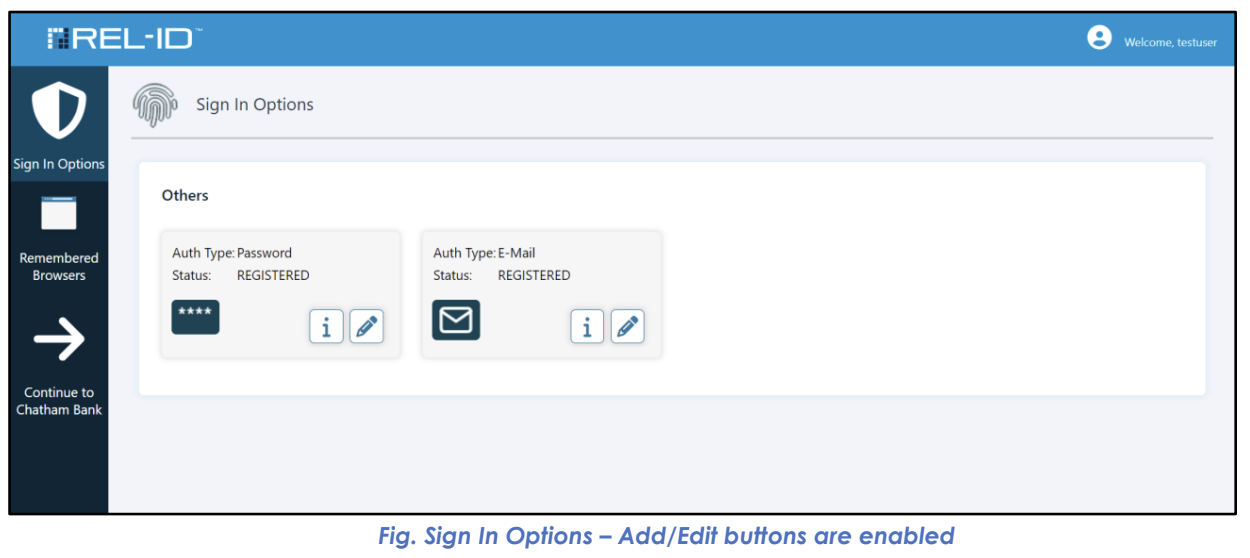
🎛️ Enhanced User Interface
- Active Buttons: All add/edit icons/buttons become clickable
- Full Functionality: Users can perform any available modification
- Visual Feedback: Clear indication that editing is now possible
- Session Persistence: Edit capabilities remain active for the session
🔄 Multiple Operations Support
- Session-Based: Re-authentication not required for each individual operation
- Batch Operations: Users can perform multiple add/edit operations consecutively
- Efficiency: Single re-authentication enables all subsequent modifications
- Time-Based: Edit session may have configurable timeout
📊 Available Update Operations
| Operation Type | Authentication Required | Scope | User Impact |
|---|---|---|---|
| View Factors | Initial login only | Read-only access | No changes possible |
| Enable Editing | Re-authentication required | Full edit access | All modifications available |
| Update Password | Edit mode active | Password change | New password for authentication |
| Update Email | Edit mode active | Email address change | New email for OTP delivery |
| Update Mobile | Edit mode active | Phone number change | New number for SMS delivery |
| Add New Factor | Edit mode active | Factor addition | Additional authentication option |
🎯 User Experience Flow for Updates
📝 Standard Update Process
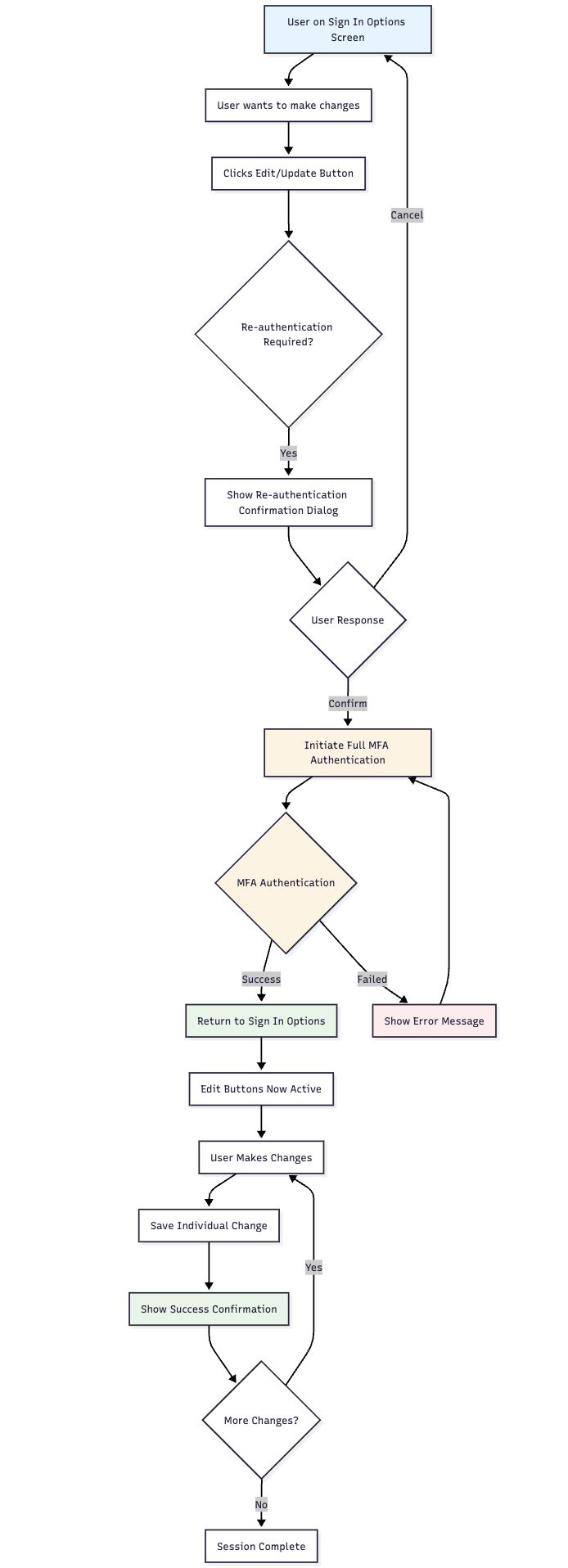
🔒 Security Validation Points
- Session Integrity: Continuous validation of user session
- Permission Verification: Each action validates edit permissions
- Change Confirmation: Individual confirmation for each modification
- Audit Trail: All changes logged for security monitoring
⚠️ Important Behavioural Notes
🕐 Session Management
- Single Re-Authentication: One re-authentication enables all editing
- Session Duration: Edit permissions last for the entire portal session
- Timeout Considerations: May automatically expire after inactivity
- Security Balance: Convenience balanced with security requirements
🔄 Operation Efficiency
- Bulk Operations: Users can perform multiple updates without repeated authentication
- Workflow Optimization: Designed for efficient security management
- User Productivity: Minimizes authentication friction while maintaining security
- Flexible Usage: Users can complete security updates in single session
Updated 4 months ago